
FAQ
Frequently asked questions about computers, software, and support.
Computers & Rooms
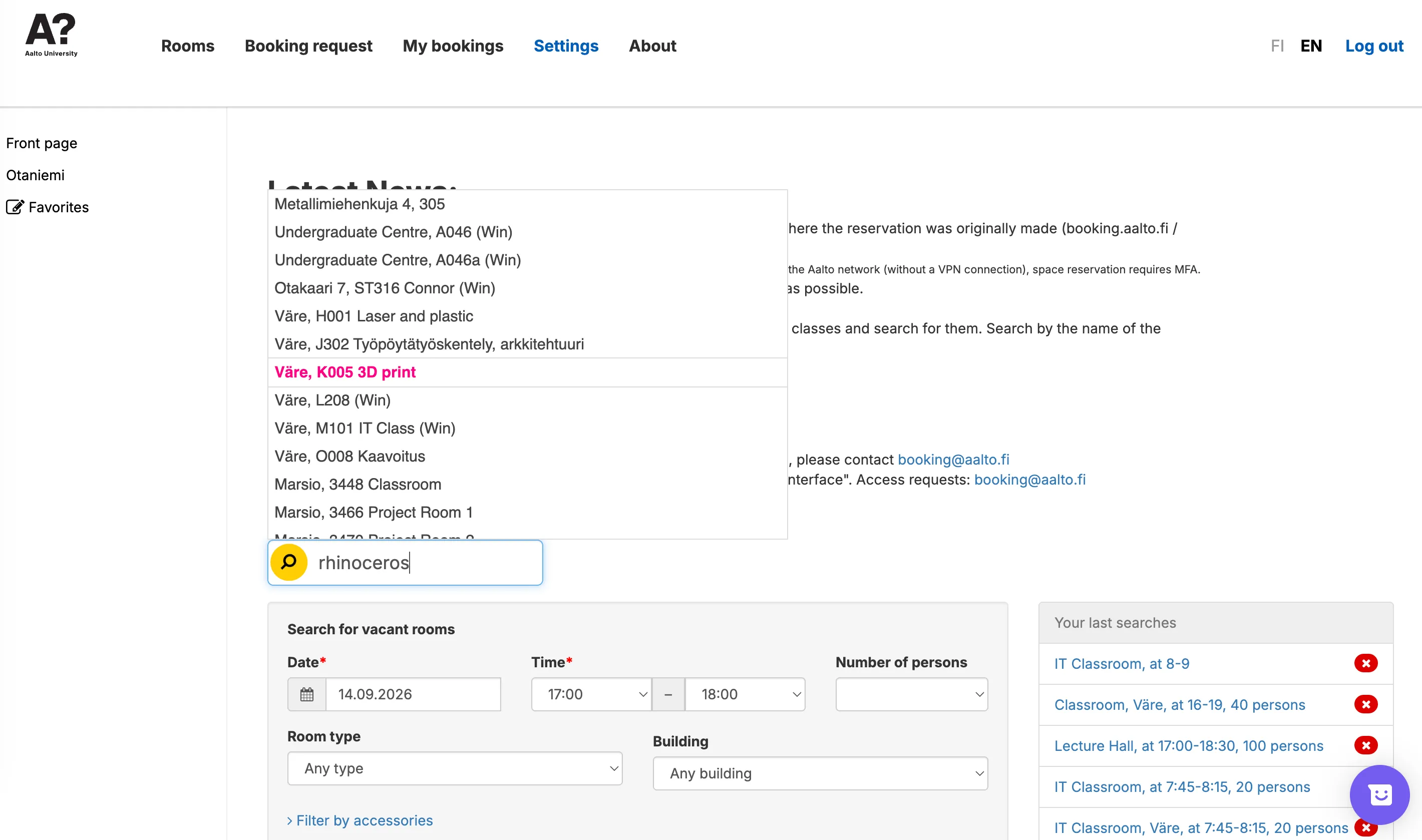
Where can I find computers with specific software?
- Log in booking.aalto.fi and search for a software by name to instantly find IT classrooms where it is available.
- Please check this page: Aalto IT Windows Classroom Software List
- We are discussing the possibility of having more software license
Which computer rooms have high-performance machines for heavy 3D modelling and rendering?
- 27 dedicated CAD/3D Workstations located in Väre J302, Kandikeskus/OK1, and MMK4
- Additional general campus machines in L208, M101, and R102.
- Aalto AI Workstation (testing)
How can I check classroom booking schedules to find an available computer?
- You have two ways to check the classroom availability
- You may use empty seats during a teaching session only if you ask for and receive the teacher’s permission beforehand.
- We have requested that ITS create a clearer way to see when machines are free (Ongoing)
What should I do if AaltoPrint is missing from a workstation or fails to print?
- Export your work as a PDF and try printing from your personal laptop or another available workstation.
- If the issue persists, please contact the Aalto IT Service Desk (ITS) directly with the specific room number and computer tag.
Software & Workflows
Why did my remote desktop session disconnect suddenly, and how can I prevent data loss?
- Physical users and teaching classes have absolute priority over remote users. If someone logs into that exact computer on-site, your session will be automatically disconnected.
- Save your files frequently to your Home drive or OneDrive so you do not lose any progress if you get kicked out or your internet drops.
Why is my CAD or 3D software crashing or slowing down when saving files?
-
Always work from the Home Drive. Save your active, heavy files directly to the Home drive for fast, crash-free performance. Never run or save active files directly from OneDrive.
-
Back up to OneDrive before leaving. When you are done for the day, manually upload a copy of your work to OneDrive so you can access it from your personal laptop later or share it with your group.
-
Wait for large files to upload completely. Always ensure the upload reaches 100% before logging out of the workstation to prevent file corruption and lost work.
The difference of Home Drive and OneDrive
Home Drive
  - It is Aalto's internal storage that appears automatically on the computer, allowing you to save files directly without uploading them to the cloud.
  - It is best suited for saving large project files and running heavy software.
  - You cannot share these files with others, and you must connect to the Aalto VPN if you want to open them on your personal laptop.
OneDrive
  - It is an external cloud drive that you access by logging in through a web browser.
  - It is ideal for sharing files with classmates and accessing your documents externally across multiple devices.
  - Syncing can be slower, so you must wait for your files to finish uploading and remember to log out before leaving the workstation.
Support & Requests
Who should I contact to report a software bug, missing update, or license failure?
- Contact the Aalto IT Service Desk (ITS) for all software, license & account, and wider network infrastructure issues.
- Issues like Adobe not saving settings on Macs are known and pending ITS resolution (Ongoing)
How do I report broken hardware in the computer rooms?
- Contact the Aalto IT Service Desk (ITS) to submit the ticket.
How do I request specific software installations for my upcoming course? (for teachers)
- First check this page and the IT classroom software list.
- Please follow this process to submit the installation request.
- Please submit your requests in advance of the teaching period, including software name and the number of students who will need access, so IT can manage licensing and hardware allocation.